

of incoming emails processed
with zero manual work

classification accuracy after
the learning phase

from project kickoff
to live deployment

Emails classified and routed automatically, without manual triage
The right team gets the right request, including urgent enquiries
Consistent categorisation across every incoming email
No backlogs through holidays, peaks and handovers

It lands in the shared
Outlook inbox you use.

It reads the content
and assigns a category.

It routes clear emails and
asks about the rest.

Each correction makes the
next prediction better.

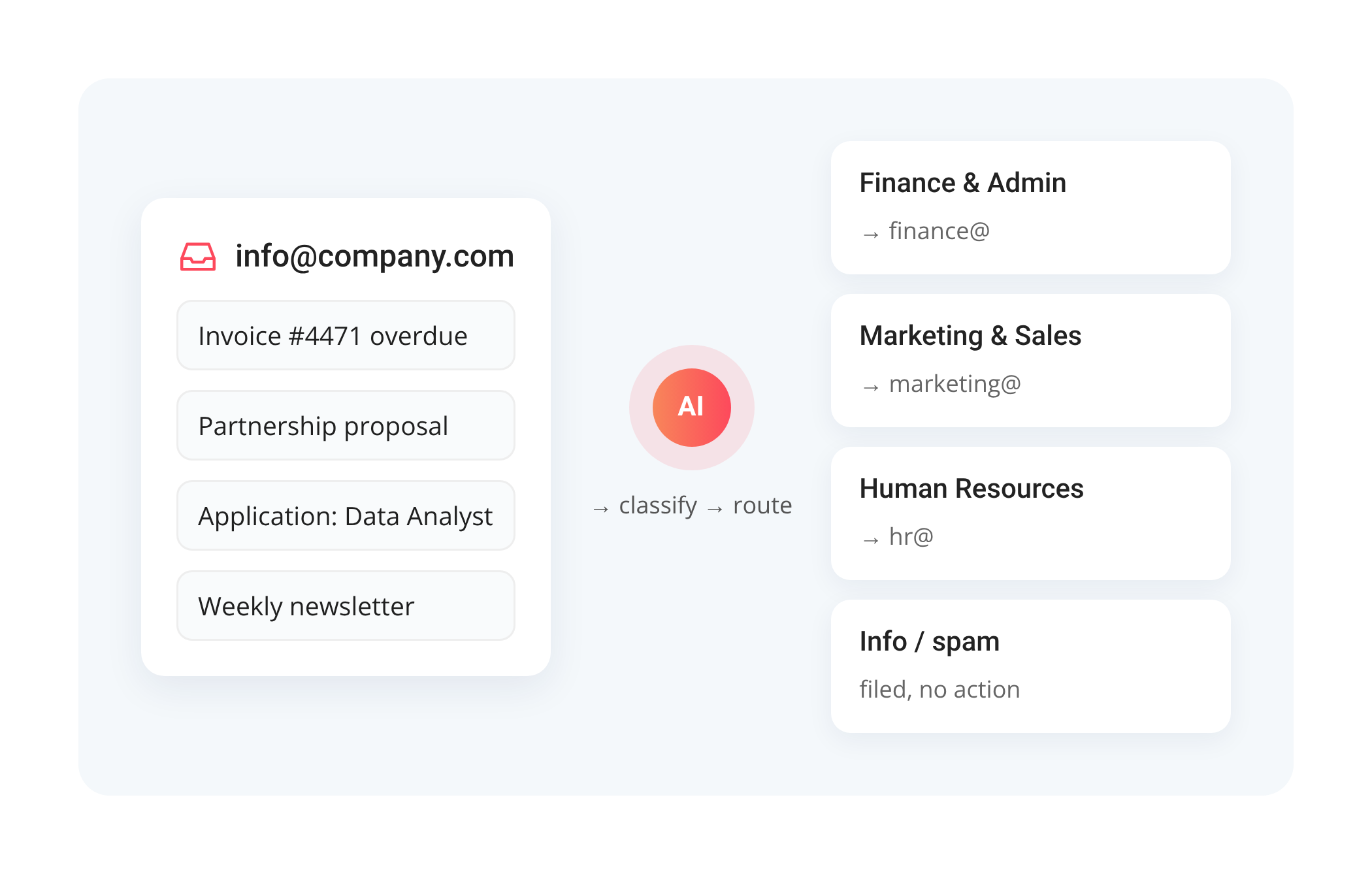
Sent straight to the right department

An instant reply for each category

Filed so every inbox opens sorted

Labelled with
Outlook categories

Urgent emails marked for follow-up
[AI] Queued: new emails waiting to be processed
[AI] Manual Verification: fix the category and flag it
AI] Processed: classified, routed and logged
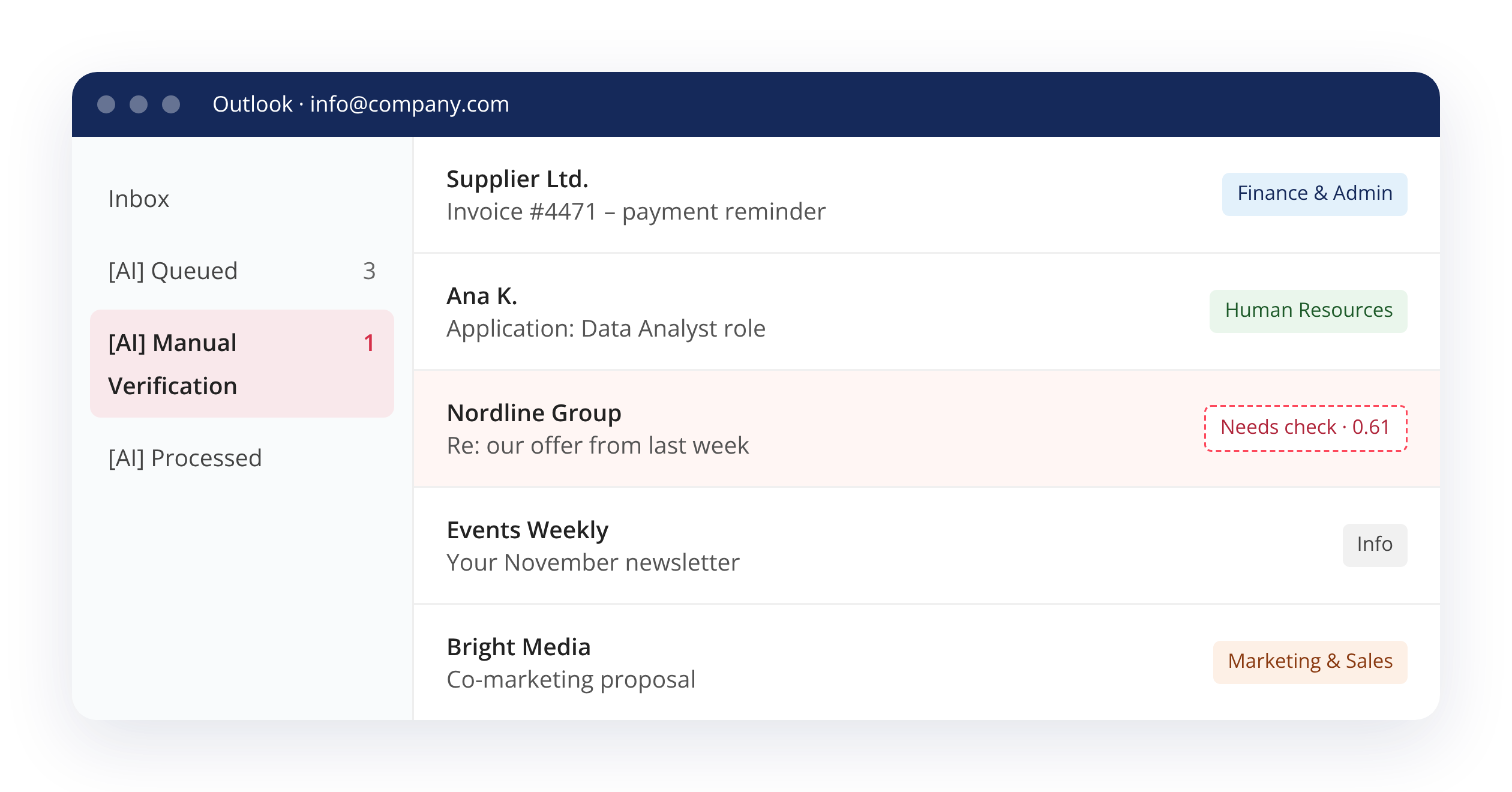
*Folder and category names are just examples. We name them however your team prefers.

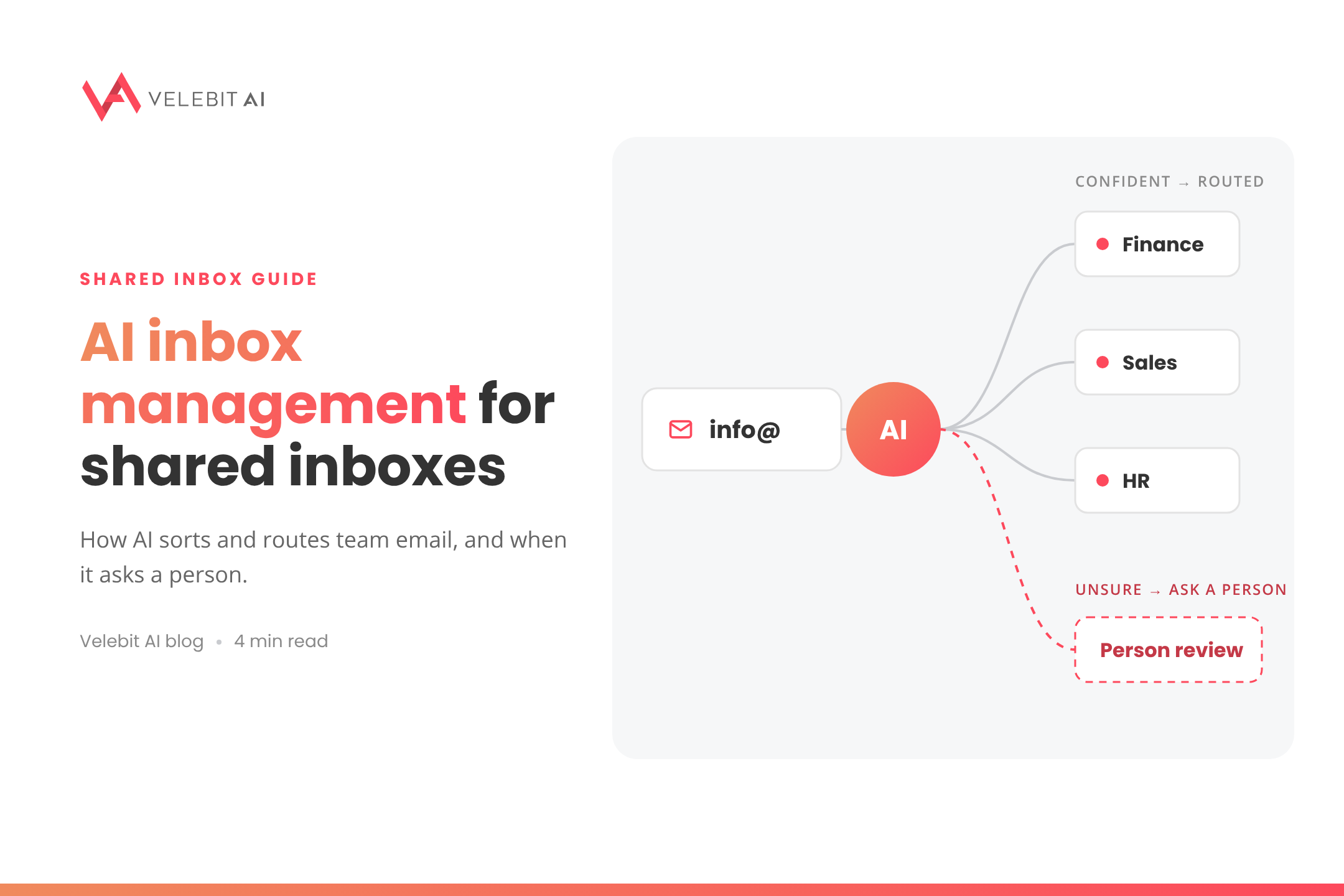
Not a personal email assistant. It follows your
categories and hands each email to the right team.

It automates the obvious majority. Judgement calls and sensitive emails always go to a person.

Rules match keywords and break on new phrasing.
AI reads meaning and learns from every correction.

It connects to your existing Outlook mailbox, with no new tools. It’s deployed in one to two weeks.
It’s a fit if your shared inbox receives hundreds of emails a day, people still sort, forward or answer them by hand, and you can name most email types and who owns each one.
Minimal effort from your team. About one week if inbox access
and categories are ready upfront
We map your email categories and what should happen to each.
You grant inbox access. We test the scope on your real emails.
We agree on edge cases and the action for every category.
Your team reviews predictions while the system learns.
Confident emails run on their own. The rest stay with your team.
Grant access to the shared Outlook mailbox and help confirm the categories. We handle configuration and integration.
No. It runs inside your existing Outlook mailbox. Your team keeps its folders, Categories and habits.
Only for categories you approve, like acknowledgements. Complaints and sensitive topics always go to a person.
Up to 98% after the learning phase. Clear, consistent categories get there faster, and uncertain emails still go to a person.
Yes, as a custom action. We scope and price integrations separately.
We’ll map your categories and show you what can run automatically
Talk to us