
On 26 November 2026
It’s Monday morning and the shared company inbox already holds dozens of new emails: invoices, supplier requests, customer complaints and general questions, each one needing a different person to handle it.
Someone has to open every email, read it, work out what it’s about and forward it to the right person. At a minute per email and 150 emails a day, that’s two and a half hours of sorting before a single request is answered. Over a year it adds up to about 650 hours and every email that goes to the wrong person costs even more time.
AI inbox automation reads, classifies and routes each email in seconds, and it can reply on its own when the request is routine. The result is a team that starts the day with work that’s already sorted and can put its time and focus into the goals that move the company forward instead of managing correspondence.
Here’s how it works and what is needed to set it up.
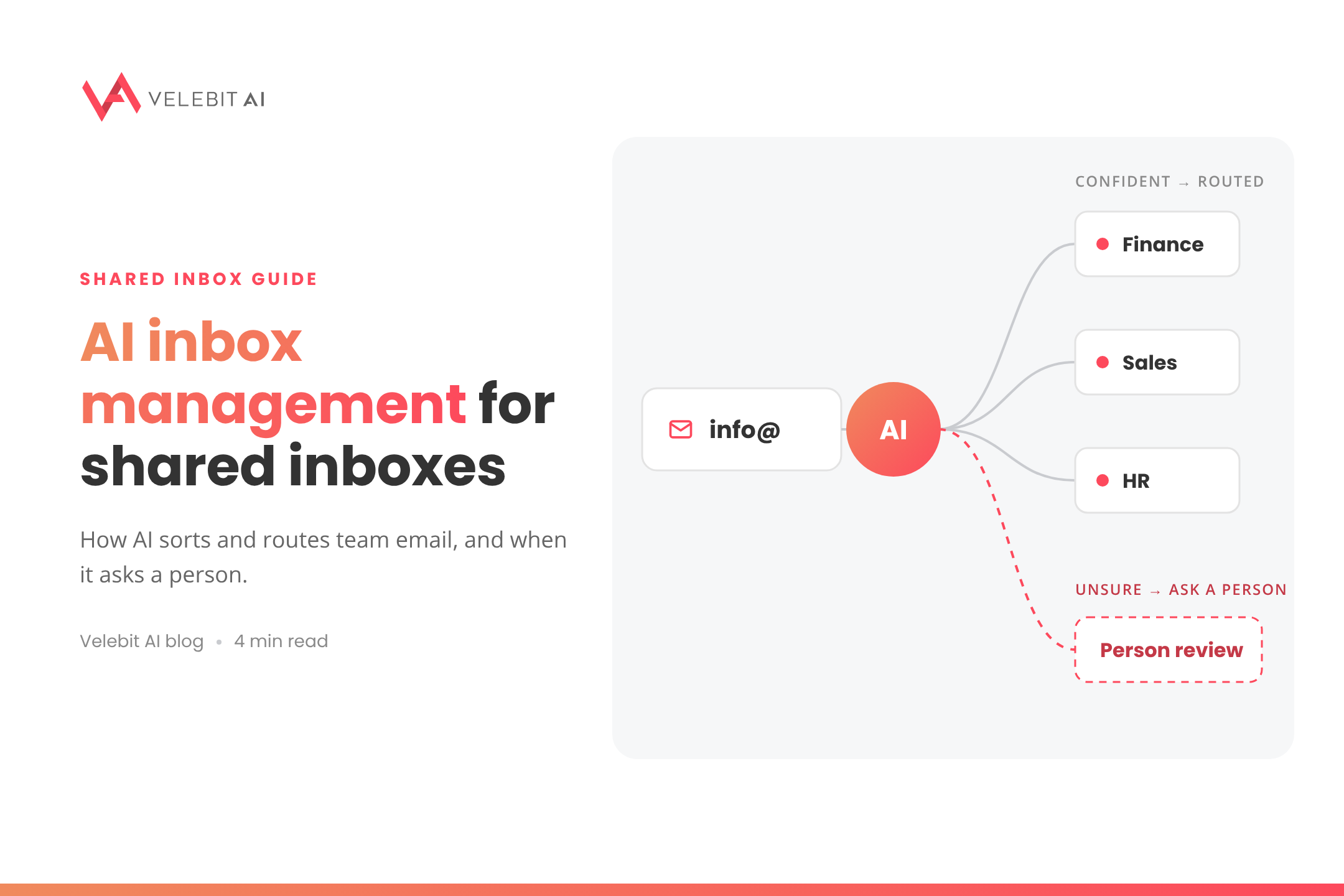
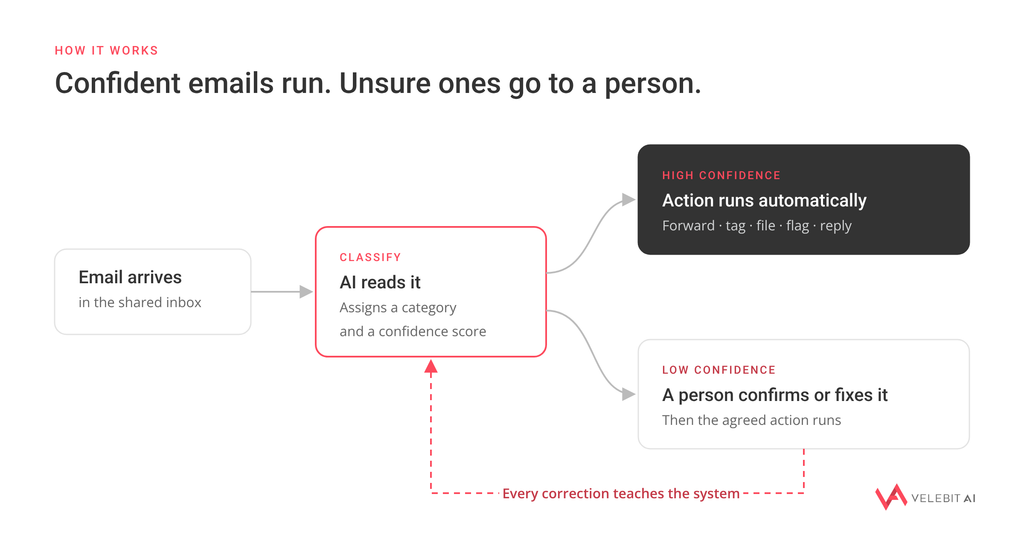
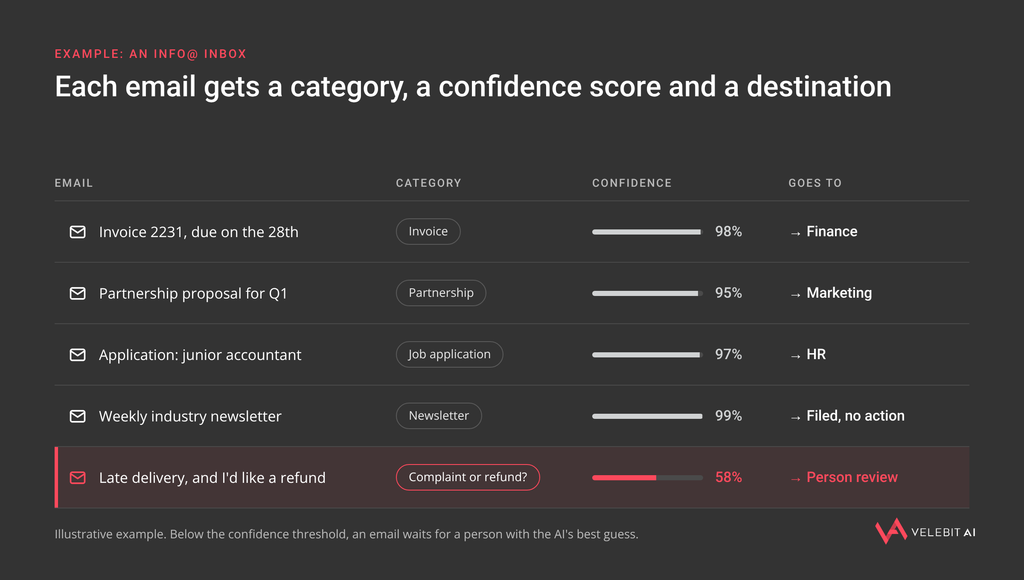
AI inbox management is software that reads incoming emails in a shared inbox, classifies each one and runs an agreed action: forward, tag, file, flag or send a short reply. The important part is what happens when it’s unsure. Every decision comes with a
confidence score. Clear emails are handled straight away, while unclear ones go to a person, who
confirms or fixes the category. The system learns from those corrections and improves with time. It’s also called shared inbox automation, or email classification and triage.
Unlike a personal AI email assistant, which helps one person write and summarize, it answers one question for a team mailbox: who should handle this email?
An invoice with a due date goes straight to finance. A message about a late delivery that also asks for a refund could belong to customer service or finance, so a person decides.
Well, partly. Mailbox rules work for fixed patterns, like “everything from this supplier goes to finance.” They break when the meaning of an email matters more than its keywords.
| Mailbox rules | AI inbox management | |
|---|---|---|
| Decides by | Sender, subject or keywords | The content and context of the email |
| New phrasing | Needs a new rule | Usually handled if the category is clear |
| When unsure | Applies the rule anyway, or does nothing | Sends the email to a person with a suggested category |
| Over time | Rules pile up and conflict | Learns from your team’s corrections |
You don’t have to choose. Keep the rules that work and let the AI handle the rest.
It usually pays off when:
For an inbox with 20 emails a day, or one where every email needs expert judgment, it usually isn’t worth it. It works best when there’s a shared view of where each email belongs, and agreeing on those categories is usually the first step of the setup. For a wider view, see our guide to AI workflow automation for business processes.
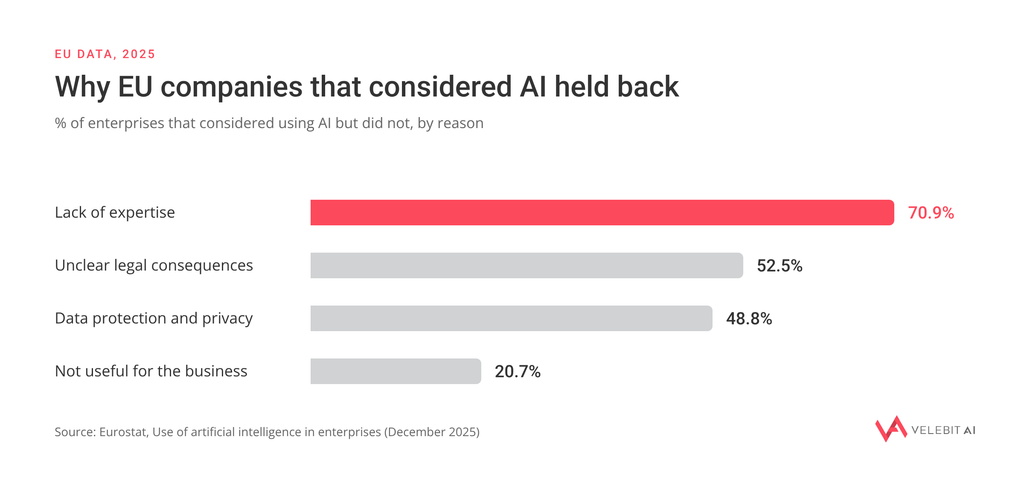
Technology is rarely the blocker. Among EU companies that considered AI but didn’t adopt it, 70.9% cited a lack of expertise, according to Eurostat. If that sounds familiar, our guide on whether you’re ready for AI can help.
At Velebit AI, we build inbox automation for shared inboxes. Three lessons stand out:
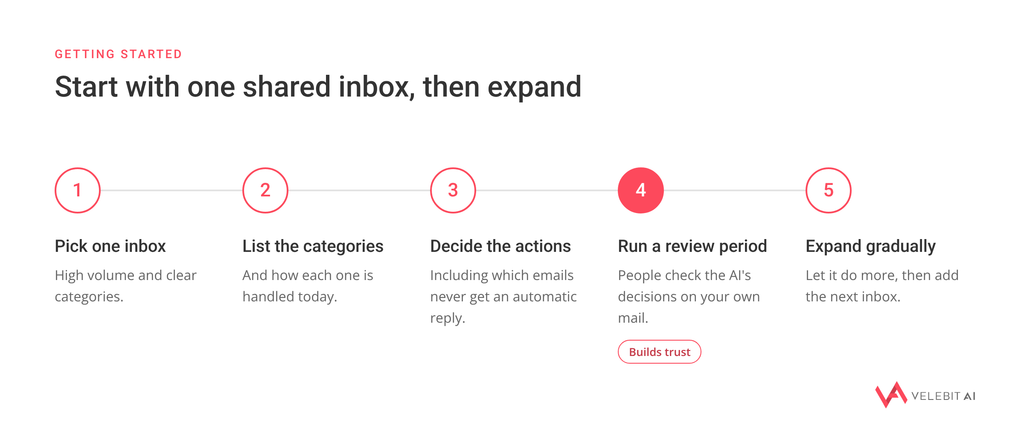
In practice, a rollout looks like this. First, we sit down with the people who sort the inbox today and map the categories. Then we connect to the inbox and agree which action runs for which category. After that, the system goes live with a person checking its decisions, until it’s reliable enough to run on its own. We set it up so email data can stay within your own infrastructure. Rollout usually takes one to two weeks, mostly depending on how quickly we get inbox access and the category list.
No. Marketing automation sends campaigns out. AI inbox automation handles email coming in: it reads, classifies and routes it.
It shouldn’t. A good setup works inside your existing Outlook or Gmail mailbox, so emails simply arrive tagged or in the right folder.
Close. An AI email agent reads email and acts on its own. In a shared inbox, the safest version acts only when it’s confident and asks a person otherwise.
Yes, for simple confirmations like ‘we’ve received your application.’ Complaints, refunds and contract questions should be answered by people.
For one inbox, typically one to two weeks, mostly spent on inbox access and agreeing on categories.
AI inbox management takes routine sorting off your team’s plate. It pays off when one inbox gets a lot of mixed email that people still sort by hand. Start with one inbox and clear categories, keep sensitive replies human and know where your data lives.
Curious how it looks in practice? See Velebit Inbox Automation. Not sure AI is the right fit at all? Start with our guide on which AI solution fits you.
Partner with us to develop an AI solution specifically tailored to your business.
Contact us